![Sonio-logo-samsung-1 1-1.png]](https://lp.sonio.ai/hs-fs/hubfs/Sonio-logo-samsung-1%201-1.png?height=40&name=Sonio-logo-samsung-1%201-1.png)
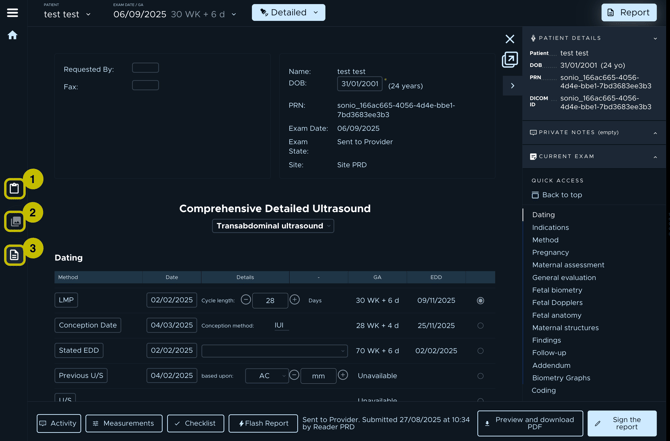
When reviewing an exam in Sonio, you can access information across three tabs:
- Clipboard Tab: View all patient information (name, DOB, etc.), private notes, and the complete history of exams related to this patient.
- Image Tab: Review all images acquired for the selected examination.
- Report Tab: Complete and review the examination report.