![Sonio-logo-samsung-1 1-1.png]](https://lp.sonio.ai/hs-fs/hubfs/Sonio-logo-samsung-1%201-1.png?height=40&name=Sonio-logo-samsung-1%201-1.png)
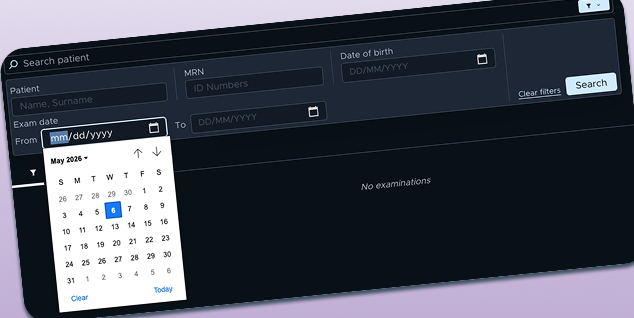
Advanced search now has a calendar
Finding past exams just got a lot easier. You can now select a date range in the dashboard's advanced search filter using a calendar, no more guessing how many days back to search. When searching by date range, make sure to filter the tab to ALL to make that all relevant exams appear.
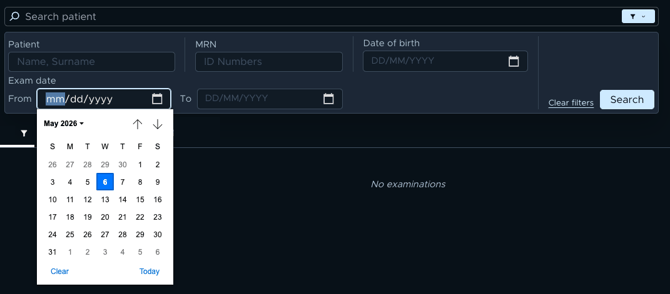
Whether you're pulling up last week's cases or reviewing a full month of exams, this saves time and gives you more flexibility in how you search.
Expanded data repair control - including multi-fetal exams
Over the past few releases, we've steadily expanded Sonio's in-app data repair capabilities. This month we’ve added:
- Move images and merge multi-fetal exams** directly in Sonio, no support ticket needed
- Move exams that contain only a DICOM SR** (no images) to the correct patient
These updates mean fewer support tickets, faster corrections, and more autonomy for your team when routine data issues arise.
Learn more about this feature below:
How to move an entire exam to another patient
How to move images and clips to the correct exam (same patient)
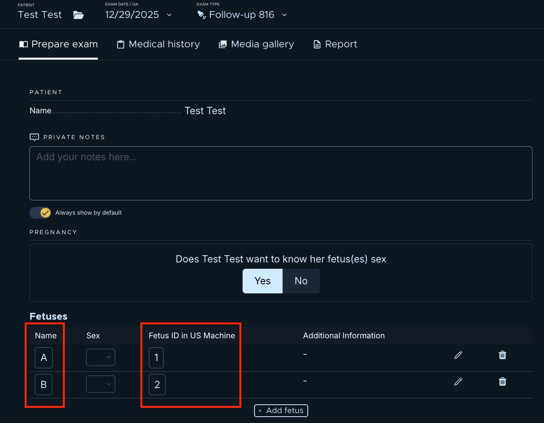
Fetal label & DICOM ID fields are now Read-Only
To ensure data consistency in multi-fetal exams, fetus label and DICOM fetus ID fields on the Prep Exam page are now read-only. If you need to swap fetuses, please create a support ticket.
Also in This Release
- Previous US EDD consistent across follow-up exams: Fixed an issue where the Previous US EDD could display incorrect values in follow-up exams when the assigned dating method changed in an earlier exam
- CPAM measurements extract automatically: Sonio now extracts Congenital Pulmonary Airway Malformation, including diameter and volume, directly from measurements sent by ultrasound machines and automatically associates with the correct fetus.
- Referring provider visible on dashboard and fax confirmations: The referring provider name now displays correctly on the dashboard exam list and in fax send confirmations
- Exam status updates in real time: Status changes (e.g., Pending → In Progress) now appear on the dashboard instantly, no page refresh needed
- Reading providers listed once in dropdown: Providers with access to multiple sites no longer appear multiple times in the dashboard's Reading Provider dropdown
- Support form pre-fills your email: Clicking "Contact Sonio" now auto-populates your email in the support form, saving you a step