![Sonio-logo-samsung-1 1-1.png]](https://lp.sonio.ai/hs-fs/hubfs/Sonio-logo-samsung-1%201-1.png?height=40&name=Sonio-logo-samsung-1%201-1.png)
Before you start
- Make sure you can see the Tags feature in Sonio
- If your practice uses shared tags, ask an admin which tags you should use
What You Can Do with Tags
- Add tags to an exam
- Remove tags from an exam
- Search / filter to find exams that share the same tag
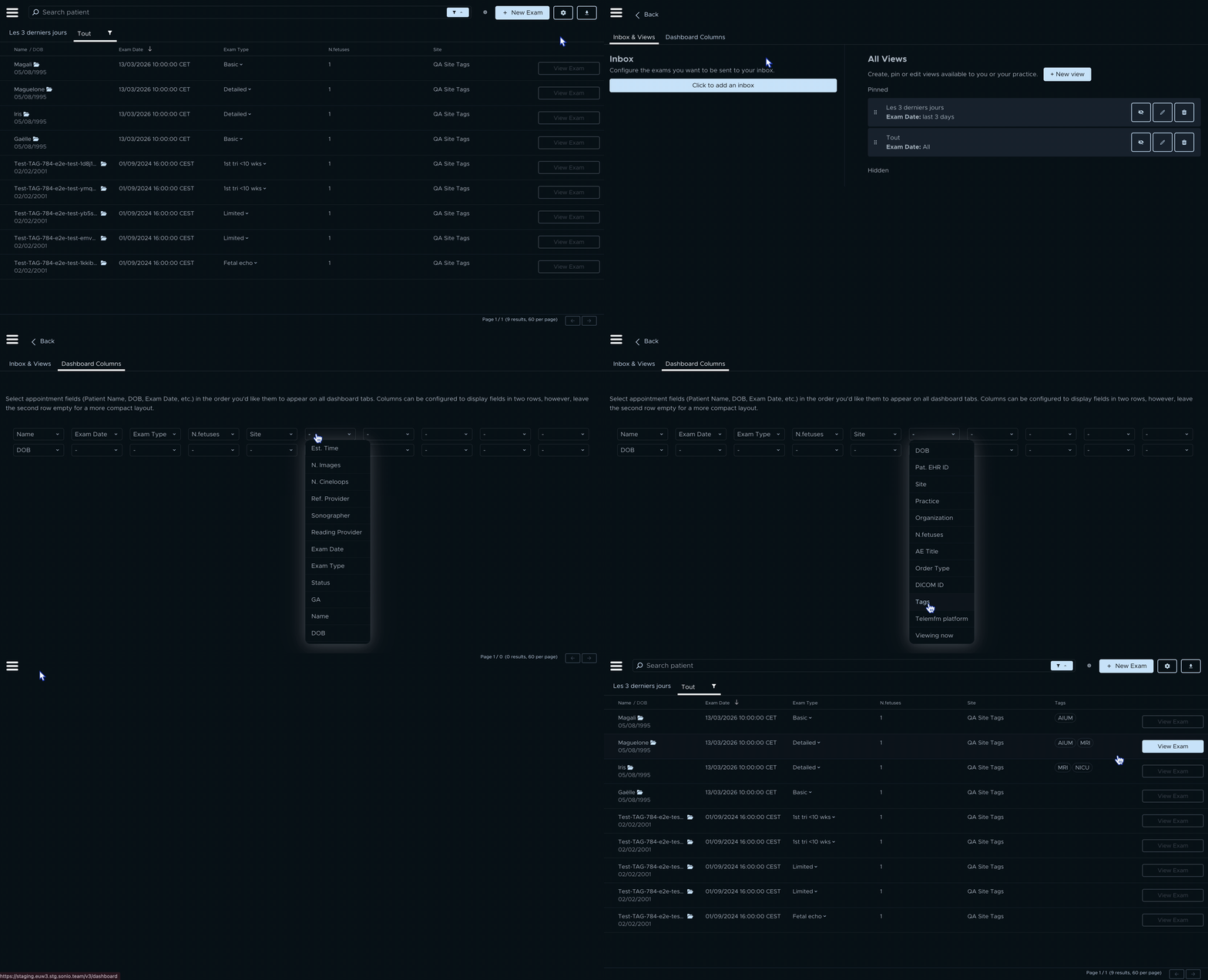
How to add the Tags column to your dashboard
- Go to your Dashboard.
- Click the Settings icon (the wheel) in the top right.
- Click Dashboard Columns.
- In the list of column slots, click an empty slot (or click the column you want to replace).
- From the dropdown, select Tags.
- Close settings to return to the dashboard.
- Confirm you now see a Tags column in your dashboard list.
How to add a Tag to an exam
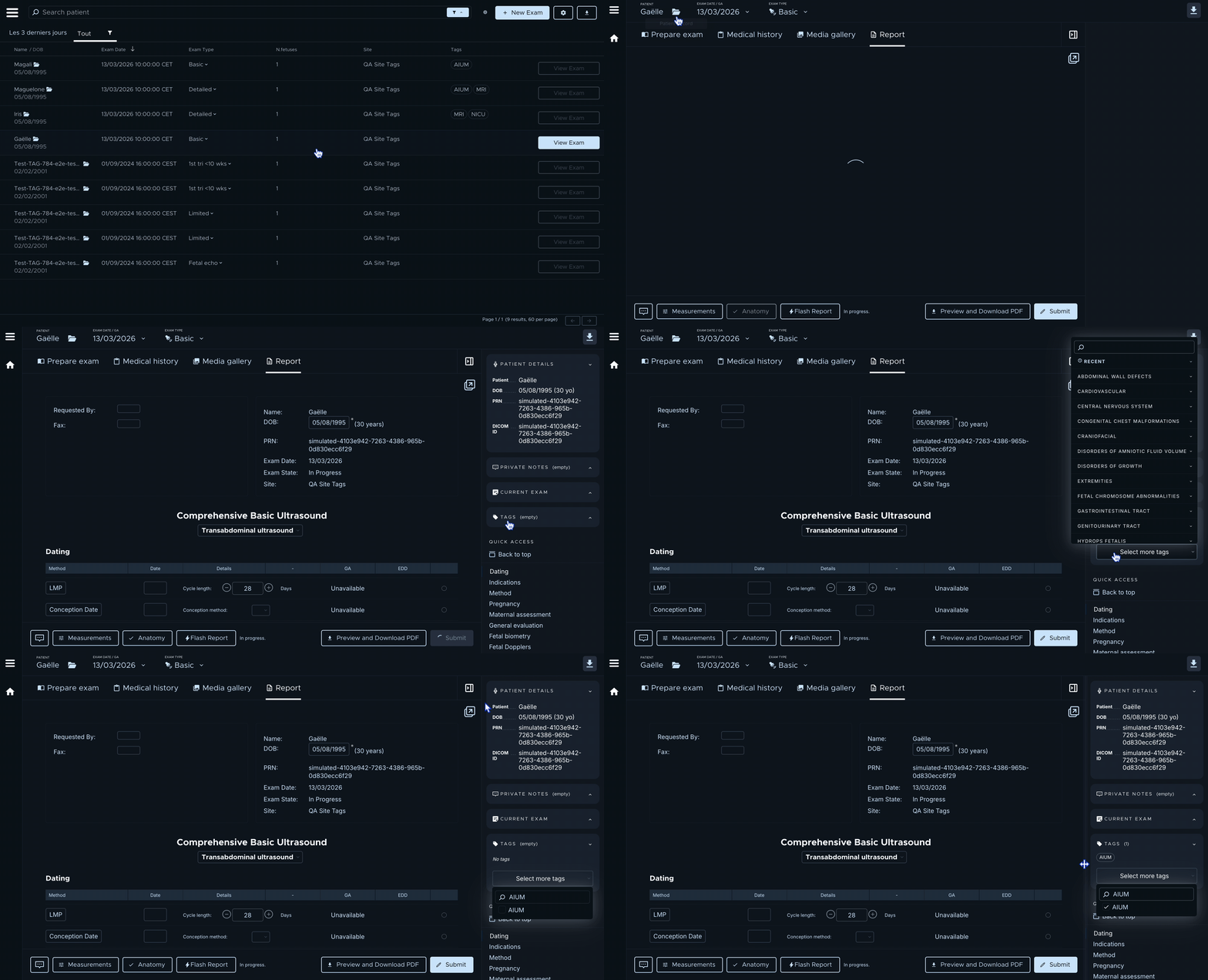
- Open the exam you want to label.
- In the exam view, find the exam sidebar (the panel with exam details).
- Find the Tags section.
- Click Add tag (or the + button).
- Start typing the tag name.
- Click the tag you want to apply.
- Confirm the tag now appears on the exam.
Tip: If you’re not sure which tag to use, pick the one that describes the exam in plain words (for example: a condition, a program requirement, or a training topic).
How to remove a Tag from an exam
- Open the exam.
- Go to the Tags section in the exam sidebar.
- Find the tag you want to remove.
- Click the remove (x) action next to the tag.
- Confirm the tag disappears from the exam.
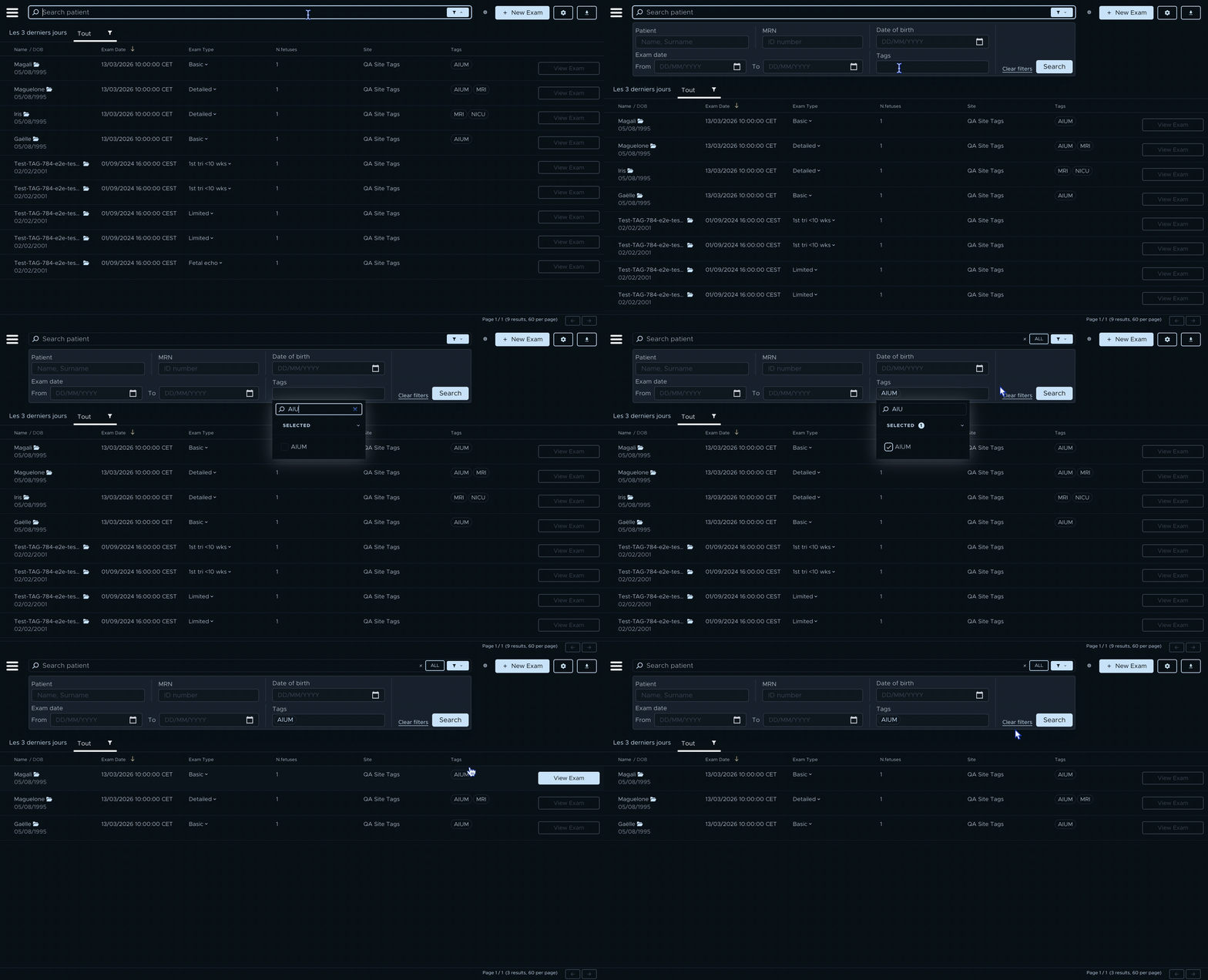
How to find exams using Tags
- Go to your Dashboard.
- Open the Search or Filter options.
- Choose the Tag filter.
- Select the tag you want.
- Review the filtered list of exams.
- Click an exam to open it.
When to use Tags
- Research: Pull every exam labeled with a condition (e.g., “Trisomy 21”).
- AIUM / accreditation: Tag exams throughout the year so you can retrieve them quickly.
- Training: Tag strong teaching cases so trainees can find them later.
Common questions
- I can’t see Tags. The feature may not be enabled for your account yet. Contact your admin or support.
- I can’t find the right tag. Your practice may have a limited tag list. Ask an admin which tags are available.
- I added a tag but can’t find it later. Go back to the dashboard and re-apply the Tag filter to confirm you selected the right tag.