![Sonio-logo-samsung-1 1-1.png]](https://lp.sonio.ai/hs-fs/hubfs/Sonio-logo-samsung-1%201-1.png?height=40&name=Sonio-logo-samsung-1%201-1.png)
If you are using Sonio without an EHR and wish to create a new patient directly in Sonio, please follow these steps:
Note: When creating a new patient, you will also need to create a new examination for that patient.
- Click on the + New Examination button in the top right corner of the screen.
- Select the "Create a new patient" option.
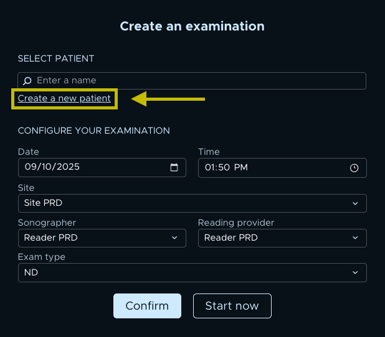
- Complete the NEW PATIENT and CONFIGURE YOUR EXAMINATION sections.
- Select Start Now to begin the examination immediately, or select Confirm to save and start later.