![Sonio-logo-samsung-1 1-1.png]](https://lp.sonio.ai/hs-fs/hubfs/Sonio-logo-samsung-1%201-1.png?height=40&name=Sonio-logo-samsung-1%201-1.png)
Sonographers
Many sonographers find it helpful to create a dedicated view for each site and filter it to show today’s patients. Having a view labeled “All”, with minimal filters, is important for those times you need to search for a patient you saw on a different date of service or at a different site.
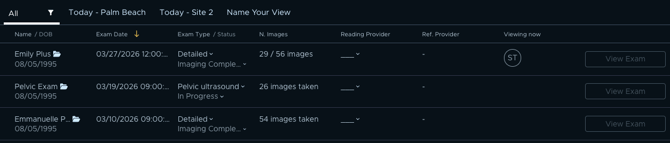
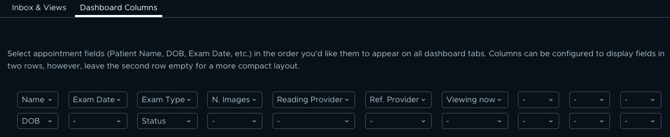
Add criteria to the second row to display more information per patient. Any criteria you add (e.g., DOB below Name) will appear below the primary row (see above).
Readers
Many readers find it helpful to create a view for Unsigned Exams. Filter Status to "Sent to Provider" and Reading Provider to your name so exams ready for review appear in one place. Create another view for Signed Exams with Status filtered to "Report Signed" to see all finalized exams.
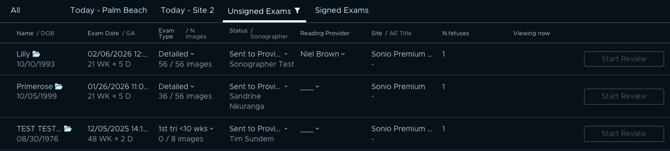
Add criteria to the second row to display more information per patient. Any criteria you add (e.g., DOB below Name) will appear below the primary row (see above).