![Sonio-logo-samsung-1 1-1.png]](https://lp.sonio.ai/hs-fs/hubfs/Sonio-logo-samsung-1%201-1.png?height=40&name=Sonio-logo-samsung-1%201-1.png)

COMING SOON: Sonio’s New Look
We heard your feedback—switching between pages and viewing patient information during the exam has been challenging. We're rolling out layout improvements to make Sonio more intuitive.
Navigating between chart prep, images and the report will be more intuitive. The option will appear as tabs on the main window, instead of icons on the left side bar.
-1.png?width=670&height=196&name=image%20(6)-1.png)
Additionally, patient details, current exam and private notes will now be available on every page, not just the report page. That means you can easily reference important exam details from anywhere. You'll also be able to resize the panel to take up as much or as little space as you want, with the settings remaining the same anytime you open a new exam!
Always Know Who’s Viewing an exam
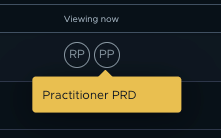
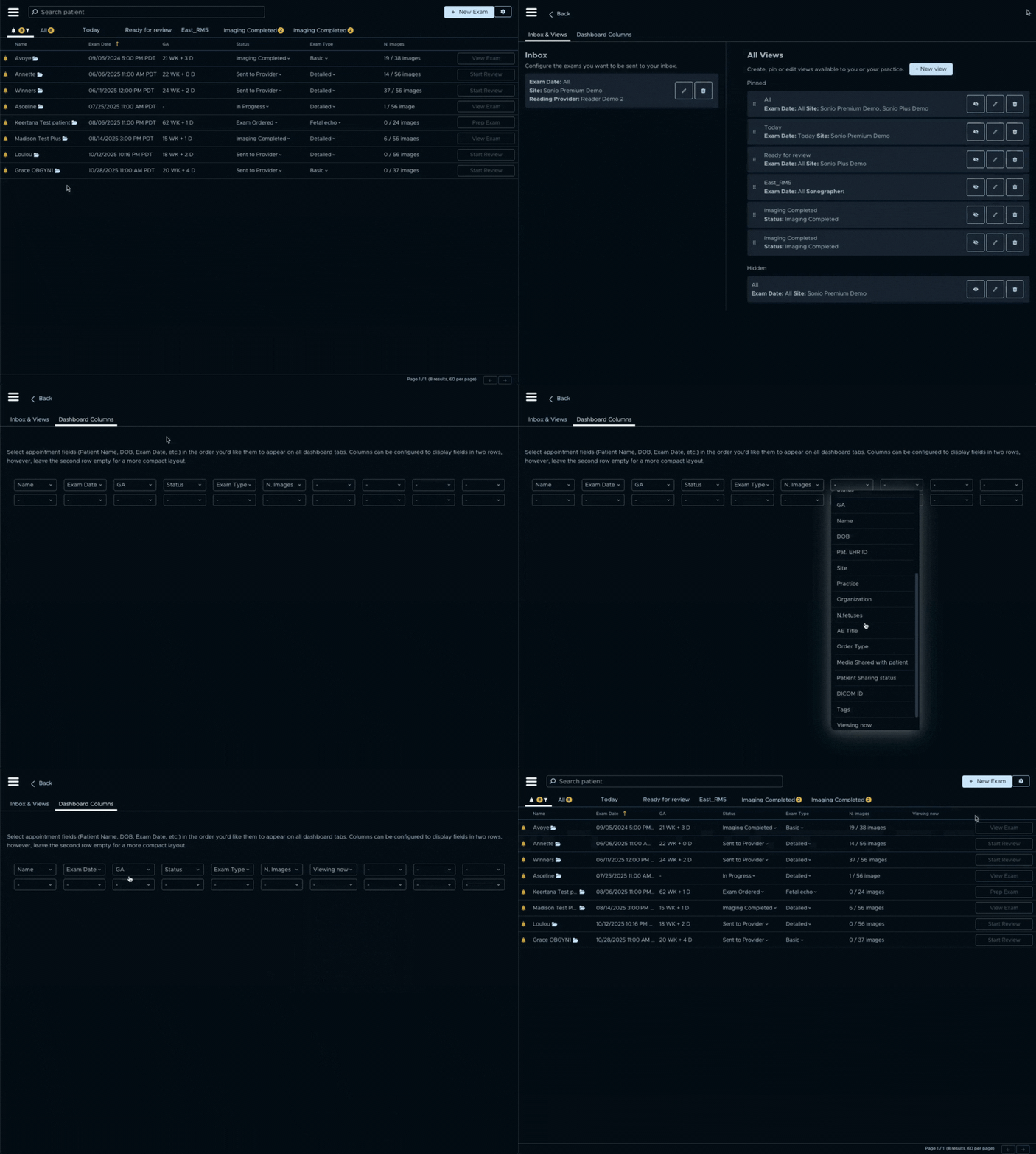
You can now see when another user from your organization is viewing or editing the same exam in real-time. Their initials will appear automatically in the top right corner of the report page. To see who's viewing from the dashboard, go to the dashboard configuration tab and add the "Viewing now" column. This enables smoother collaboration and prevents conflicting edits.
Report automations driven by Image Recognition AI
We are supercharging Sonio Premium’s existing annotation-driven report field automations with an additional layer of image recognition AI. Fetal sex, placenta location and placenta site will now be recognized by our image recognition AI and the corresponding fields will be auto-populated on the report - no annotation required! Additionally, these fields will now be carried forward for the duration of the pregnancy.
Automatically attach specific images to reports
You can now automatically attach specific views (e.g., FHR, Cervix View) to a report based on the exam type. As a sonographer you will save time by eliminating repetitive clicks—you won't need to manually attach the same images to every report. You can still remove or add views as needed.
To activate this feature for your organization, contact your account manager.
Clips autoplay from gallery view
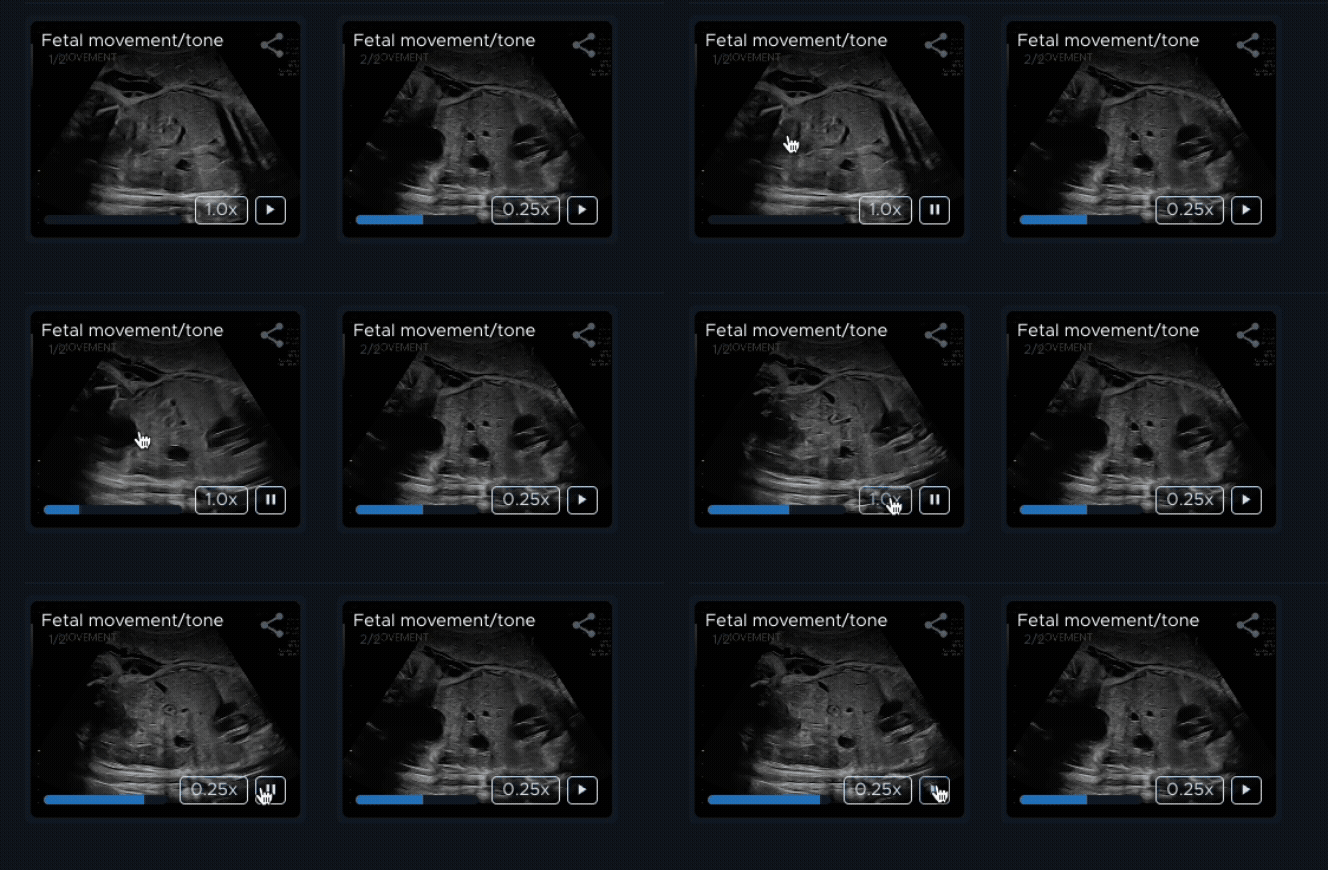
Clips now autoplay when you hover over thumbnails in the gallery view, eliminating the need to open videos. This improves the image review workflow by reducing clicks and allowing you to quickly scan multiple clips.
You can control playback with integrated play/pause buttons, adjust playback speed (1x/0.5x), and view the progress bar directly on each thumbnail. A "Play all" button enables simultaneous playback of all cineloops in the gallery.
Status visibility
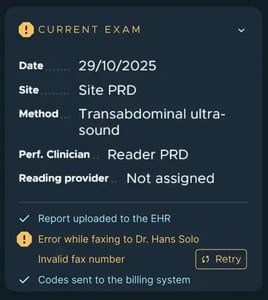
Real-time visibility into the status of faxes, report uploads, and billing codes sent to your EHR, so you always know when your records have been successfully delivered.
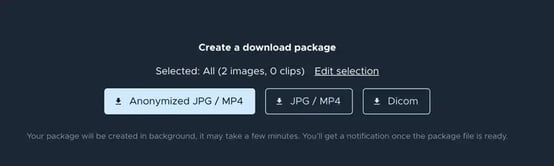
Download study
You can now download images and videos from a completed study, providing more options for sharing studies with patients, referring physicians and more.
Integration updates
Practices without EHR integration can now access all signed reports from a dedicated folder on their drive. Signed reports will automatically be sent to the dedicated file, so admins no longer need to connect to Sonio, open each signed report, and download each PDF individually before uploading it into the EHR.
More improvements
- New authors added: Ebbing 2007 (MCA), Mayden 1982 (IOD), Peralta 2005 (o/e LHR), Jani 2012 (o/e LHR)
- Added Gestational Sac measurement as new Dating Method with addition of following authors - Korean 1995, Nyberg 1992, Hellman 1969, Hansmann 1986
- Short Axis of Ventricles and Ribs added the Fetal Anatomy checklist
- Improved Light Mode with better colors and more consistent style to make it easier to navigate Sonio in Light Mode