![Sonio-logo-samsung-1 1-1.png]](https://lp.sonio.ai/hs-fs/hubfs/Sonio-logo-samsung-1%201-1.png?height=40&name=Sonio-logo-samsung-1%201-1.png)
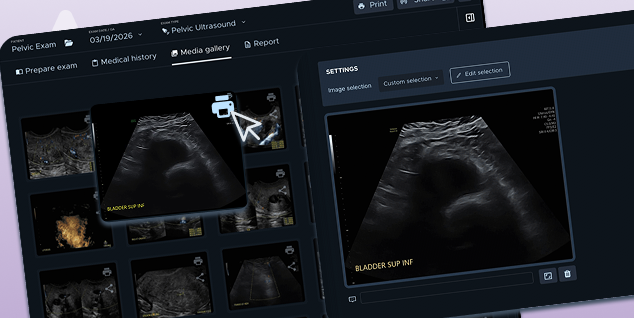
Select Report Images Directly from the Gallery
Managing which images appear on your report PDF just got a whole lot easier. Instead of navigating to the report's image section and selecting from small thumbnails, you can now add or remove images right from the media gallery or image preview using the Print icon.
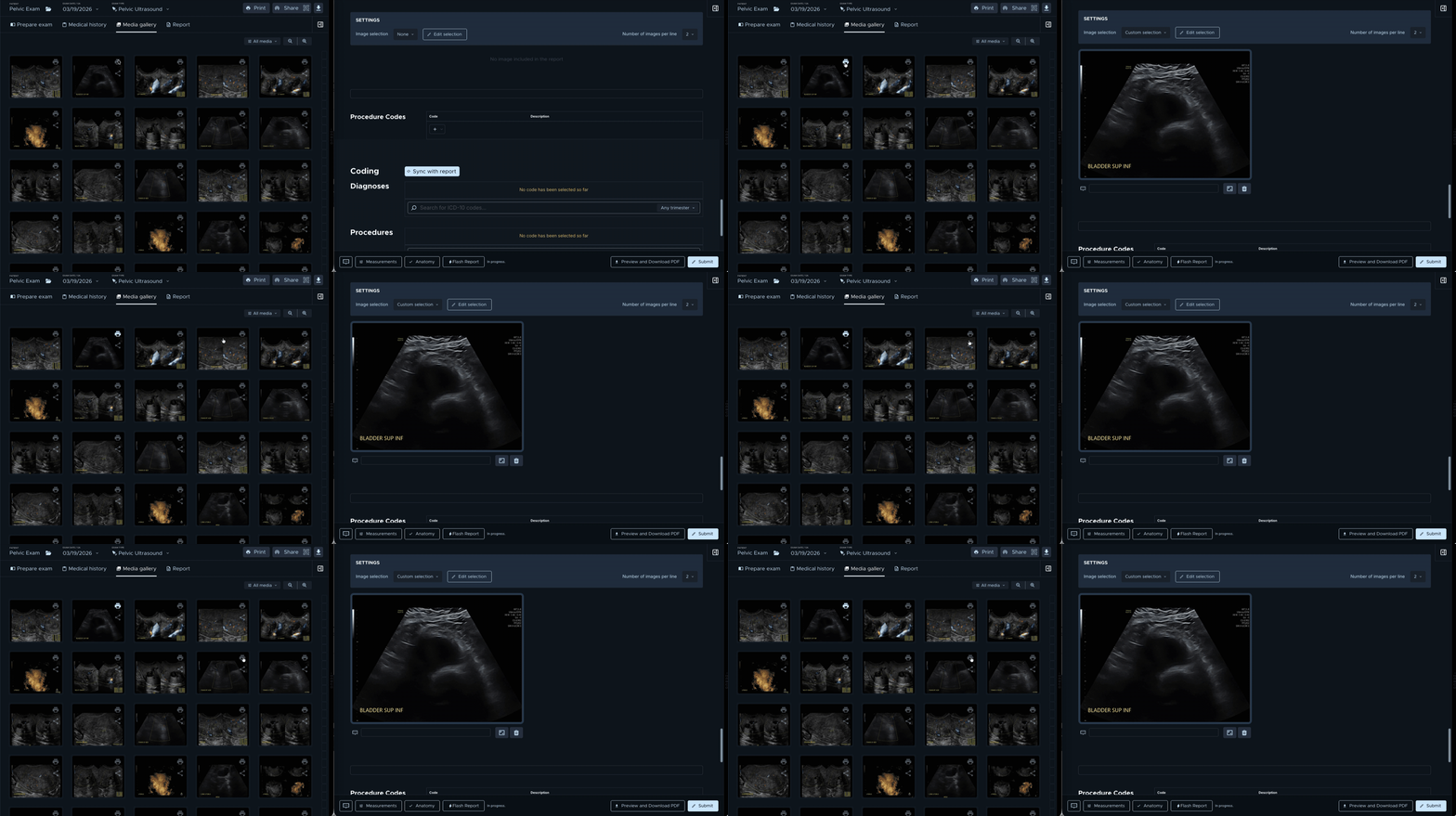
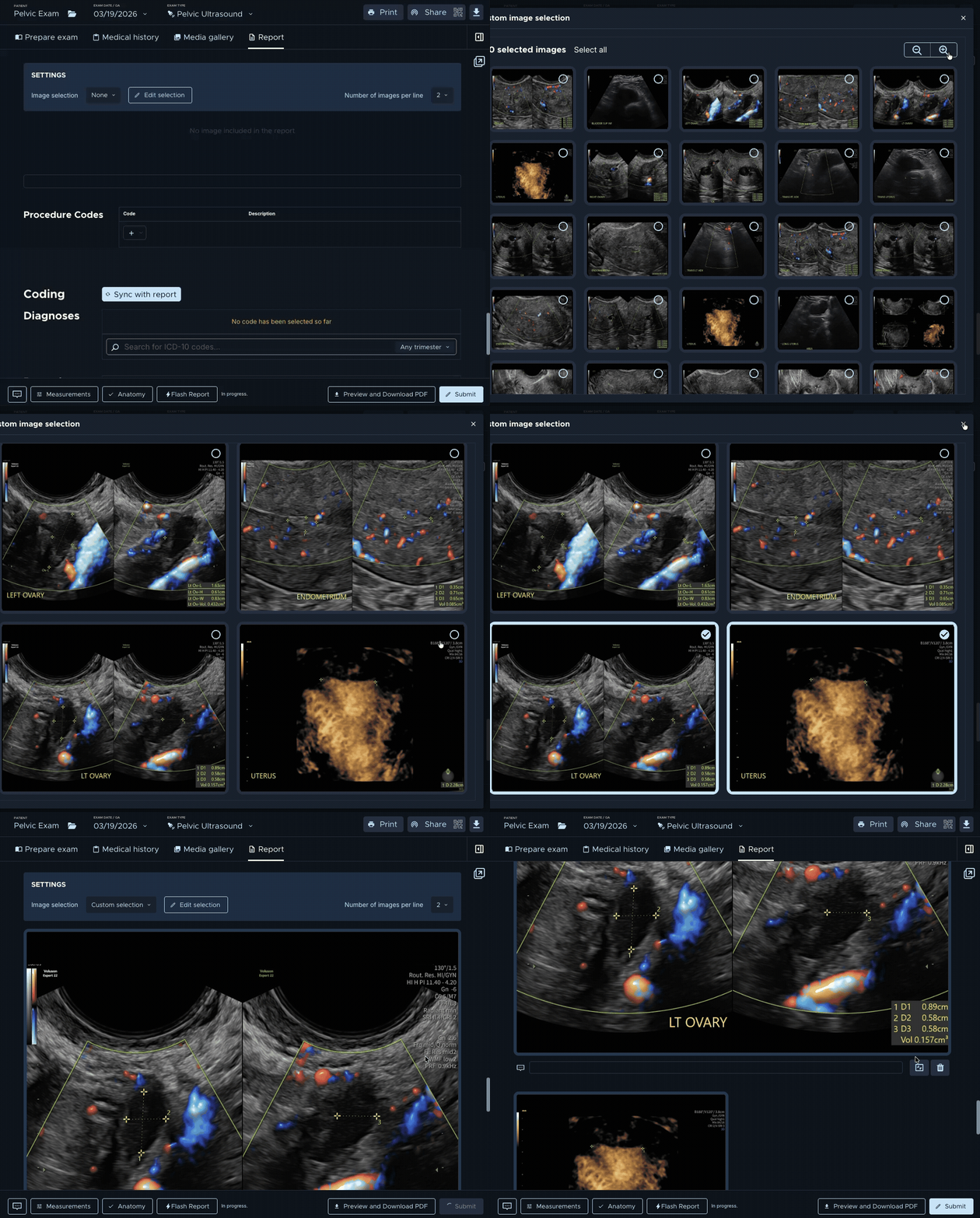
Whether you're reviewing a routine scan or a complex multifetal exam, this simplified workflow puts image selection right where you need it.
Move Exams Across Sites Within Your Practice
When moving an examination to a different patient, Sonio now searches across your entire practice — not just the site the exam was performed. If a patient is registered at another location within the same practice, you can find and move the exam without filing a support ticket. This eliminates duplicate patient records and keeps your data clean.
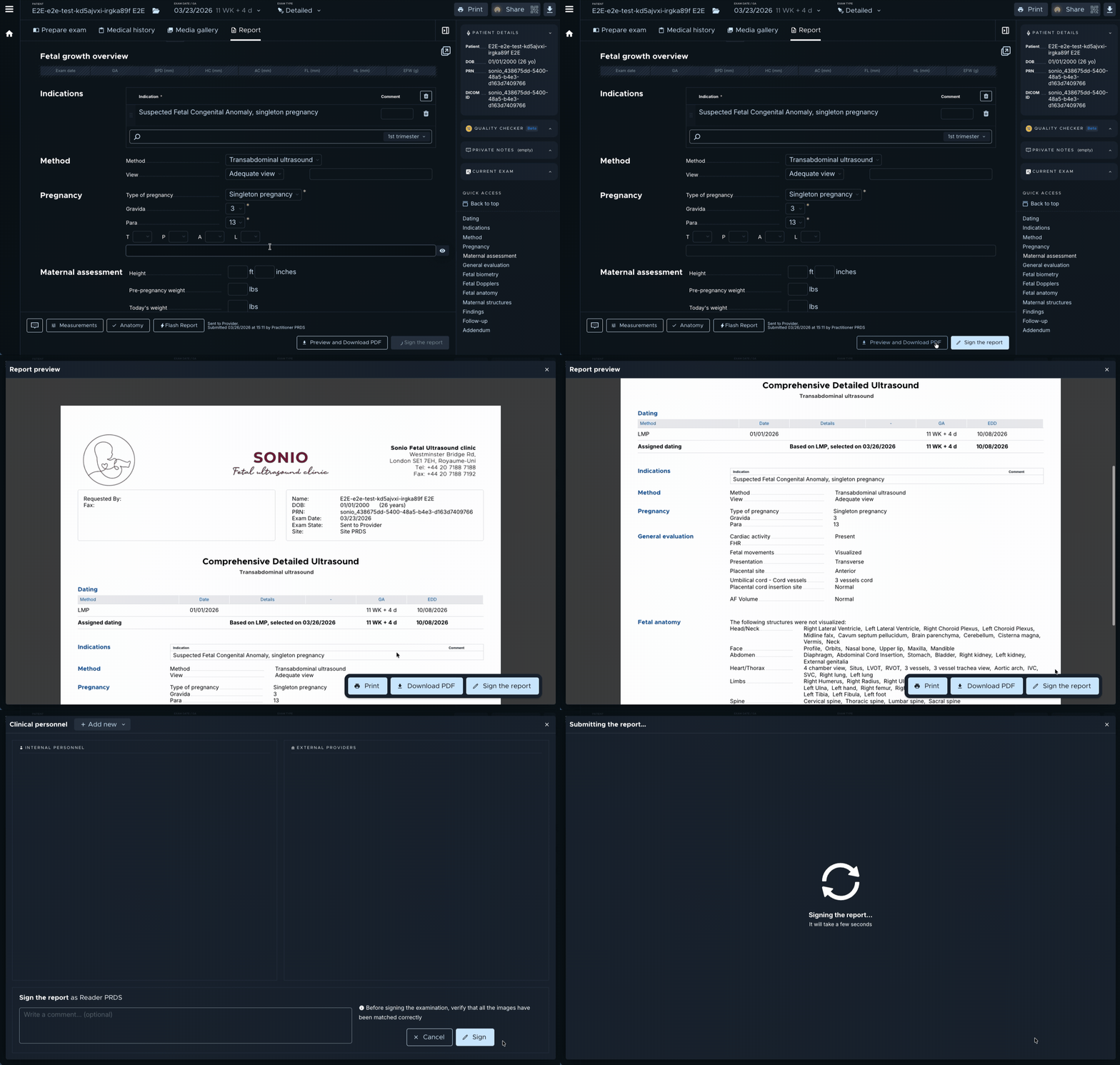
April Feature Highlight: Submit & Sign from PDF Preview
Did you know you can save two clicks by submitting and signing your report directly from the PDF preview screen?
Also in This Release
- Updates to Athena Connection: Sonio now pulls the Referring Provider from the appropriate field in Athena; Sonio now treats departments under the same Athena tablespace as separate practices, when appropriate
- Image gallery starts at the top: The gallery no longer auto-scrolls to the last image — it opens at the first image as expected
- Images no longer appear too bright: Fixed an intermittent display issue where ultrasound images rendered as overexposed
- 3D images match protocol order: 3D images are now correctly matched within the configured protocol instead of appearing at the end of the report
- Philips PR interval fix: The fetal heart PR interval measurement from Philips DICOM SR files is now correctly extracted and displayed